Brief-first workflow
Look and copy come from your brief. Placements stay locked to official Google Display sizes—no guessing aspect ratios or resizing by hand.
Upload your brief and an optional logo. Get eight on-spec banners, then tweak any placement with a fresh generation until the set matches your campaign.
Six lines in, a full set of Google Display sizes out — every file within Google's 150 KB limit, separately or as one ZIP.
Product: Dresses
Audience: Women
Headline: Cotton, light, modern, beautiful dresses
Call to action: Be the first to buy it
Brand colors: #b5f099 #ff7cab
Style: modern, clean, high contrast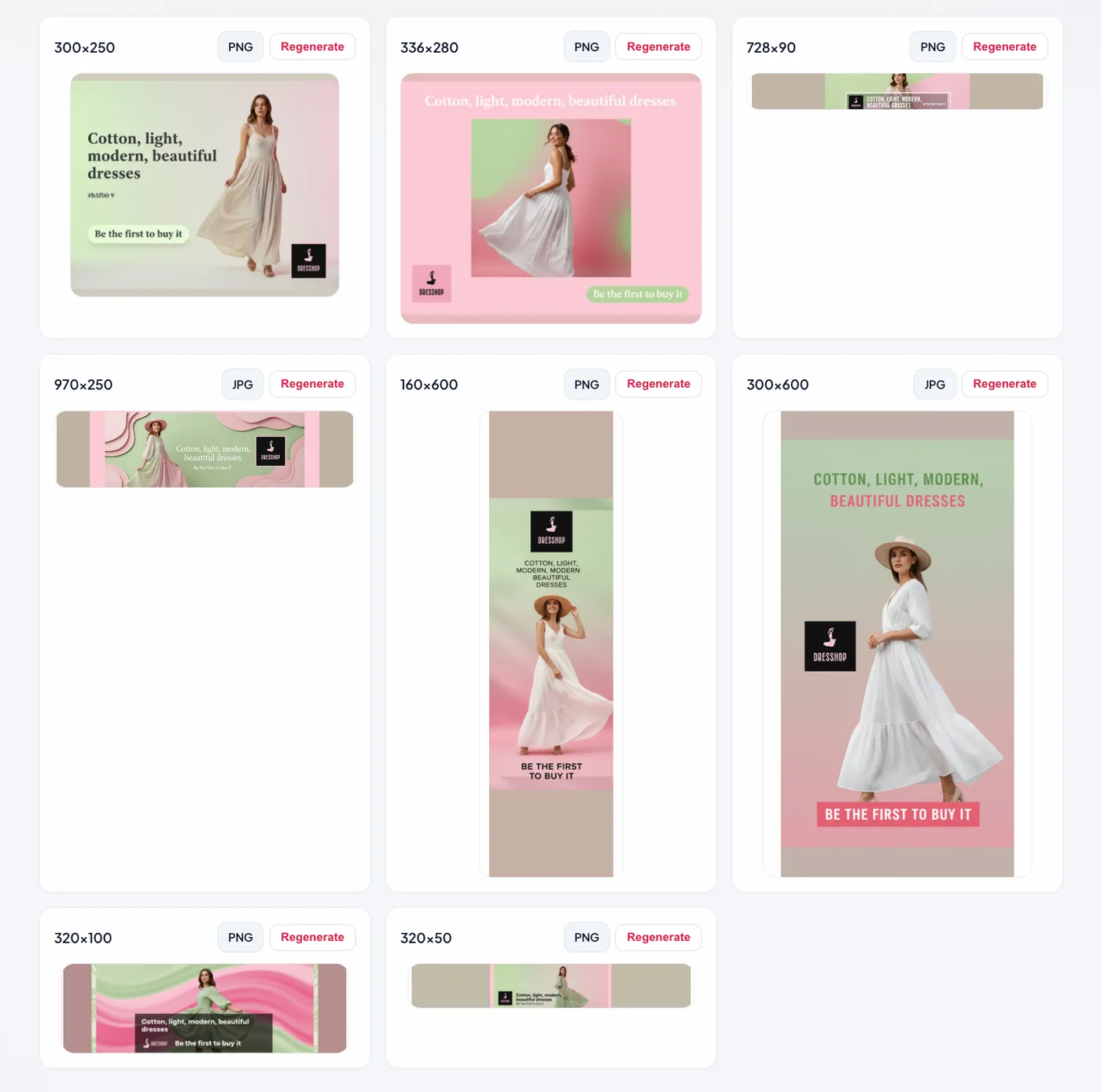
That brief plus an uploaded logo produced this pack. Yours will look different, in the same eight sizes.
Eight uploaded display sizes, each composed for its own shape — not one image cropped eight ways.
Banner Generator is an AI-assisted workspace for building static image ads for Google Display campaigns. You describe the product, audience, tone, and mandatory copy in a brief (or upload TXT, PDF, or DOCX). The service produces one coordinated pack across the official Google Display placements your media plan expects—so you are not resizing one master creative by hand or fighting aspect-ratio drift.
Each size gets its own layout-aware treatment: a text model drafts prompts per placement, and an image model renders the banner. Every banner is saved in the lightest format that keeps it sharp — PNG while it fits, JPEG when it does not — so no file breaks Google's 150 KB ceiling. Download them one by one or as a single ZIP for handoff to trafficking, clients, or internal review. When a single size needs another pass, regenerate just that placement while keeping the rest of the pack intact.
Sign in with Google for a private account: generations are stored with history and previews. Usage is metered with in-app tokens for new packs and regenerations—predictable for teams that iterate often. If you run display prospecting, retargeting, or always-on brand campaigns, Banner Generator is built to shorten the path from brief to upload-ready assets.
Look and copy come from your brief. Placements stay locked to official Google Display sizes—no guessing aspect ratios or resizing by hand.
A language model drafts a tailored prompt for each size; an image model renders the banner. Your team swaps models in server config when you are ready to scale.
Sign in with Google. Each generation is saved to your account and grouped by session so you always know which pack belongs to which brief.
New packs and regenerations draw from your token balance so spend stays predictable while you iterate in the workspace.